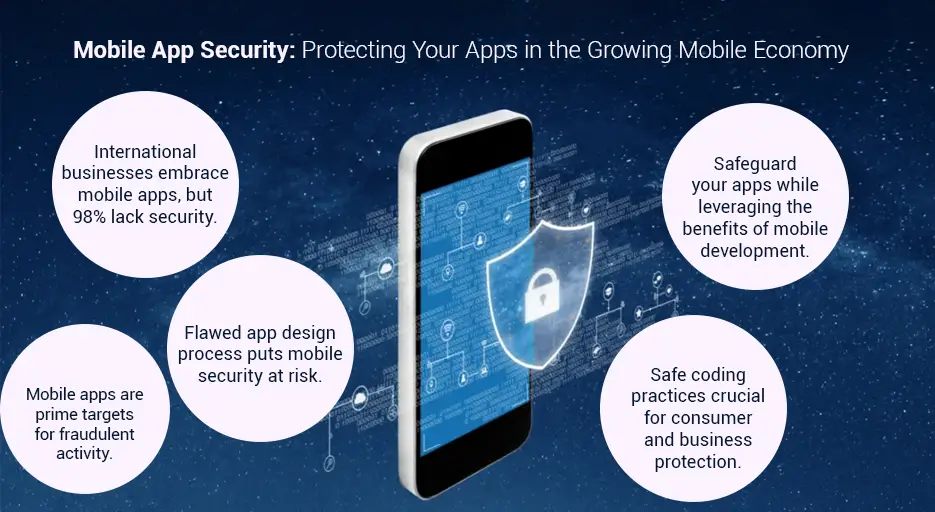
What are the Mobile App Security Best Practices?
Mobile App Security Best Practices are a set of proven techniques, standards, and processes that help developers build secure mobile applications, protect user data, and defend against cyber threats. Whether you are developing an Android, iOS, or cross-platform application, implementing strong security measures from the beginning reduces vulnerabilities, ensures compliance, and builds user trust.
Modern businesses rely on Mobile App Security to protect sensitive information such as personal data, payment details, login credentials, and business records. By following industry-recognised App Security Best Practices, organisations can minimise the risk of hacking, data breaches, malware, and unauthorised access.
Why Are Mobile App Security Best Practices Important?
Cyberattacks on mobile applications continue to increase as businesses and users depend more on smartphones for banking, shopping, healthcare, and communication. Following Mobile App Security Best Practices helps organisations:
- Protect customer data and privacy.
- Prevent unauthorised access.
- Reduce cybersecurity risks.
- Meet compliance and regulatory requirements.
- Increase customer confidence.
- Protect business reputation.
- Reduce financial losses from cyberattacks.
Essential Mobile App Security Best Practices
1. Secure Mobile App Development from the Start
Security should be integrated throughout the Secure Mobile App Development lifecycle rather than added after development is complete. Developers should identify risks during planning, design secure architecture, perform code reviews, and continuously monitor vulnerabilities.
2. Implement Strong User Authentication
Use secure authentication methods, including:
- Multi-Factor Authentication (MFA)
- Biometric authentication
- Strong password policies
- OAuth authentication
- Secure session management
These measures strengthen overall Mobile Application Security by ensuring only authorised users can access sensitive information.
3. Encrypt Sensitive Data
Encryption protects confidential information both during transmission and while stored on devices. Best practices include:
- HTTPS with TLS encryption
- AES-256 encryption for stored data
- Encrypted databases
- Secure key management
Strong encryption significantly improves Mobile App Data Security.
4. Follow Secure Coding Standards
Developers should avoid common vulnerabilities such as:
- SQL Injection
- Cross-Site Scripting (XSS)
- Buffer Overflow
- Insecure Data Storage
- Hardcoded credentials
Adhering to recognised Mobile App Security Guidelines helps eliminate many security risks before deployment.
5. Protect APIs
Mobile applications rely heavily on APIs. Secure APIs by implementing:
- Token-based authentication
- Rate limiting
- API encryption
- Input validation
- Secure API gateways
API protection is one of the most important App Security Best Practices.
6. Perform Regular Mobile App Security Testing
Comprehensive Mobile App Security Testing helps identify weaknesses before attackers do. Testing should include:
- Penetration testing
- Vulnerability assessment
- Static Application Security Testing (SAST)
- Dynamic Application Security Testing (DAST)
- API security testing
- Regression security testing
Regular testing strengthens overall Mobile App Security Solutions.
7. Use Code Obfuscation
Code obfuscation makes application code difficult to reverse engineer. This protects proprietary algorithms, business logic, and sensitive information from attackers.
8. Secure Local Data Storage
Avoid storing sensitive information in plain text. Instead:
- Encrypt local databases
- Secure cache storage
- Minimise stored sensitive information
- Remove unnecessary logs
These techniques improve Mobile App Data Security.
9. Keep Third-Party Libraries Updated
Many security breaches occur because outdated libraries contain known vulnerabilities. Developers should:
- Monitor dependency updates
- Remove unused packages
- Apply security patches immediately
- Verify trusted package sources
10. Monitor Security Continuously
Security is an ongoing process. Organisations should continuously:
- Monitor suspicious activities
- Detect abnormal user behaviour
- Analyse security logs
- Respond quickly to threats
Mobile App Security Checklist
A practical Mobile App Security Checklist should include:
- Secure authentication
- Data encryption
- API protection
- Secure coding practices
- Vulnerability scanning
- Penetration testing
- Secure local storage
- Certificate pinning
- Regular software updates
- Continuous monitoring
- Backup and recovery planning
- Compliance verification
Mobile App Security Framework
An effective Mobile App Security Framework combines technology, policies, and best practices, including:
- Risk assessment
- Secure architecture
- Identity and access management
- Data protection
- Security testing
- Incident response
- Continuous monitoring
- Compliance management
This framework enables organisations to maintain a consistent and proactive security posture.
Mobile Application Security Best Practices for Businesses
Businesses should:
- Train developers in secure coding.
- Conduct regular security audits.
- Follow recognised Mobile App Security Standards such as the OWASP Mobile Top 10 and applicable ISO security guidance.
- Protect cloud infrastructure.
- Secure backend servers.
- Perform regular backups.
- Monitor application performance and threats.
- Implement disaster recovery planning.
These Mobile Application Security Best Practices help reduce operational risks while improving customer confidence.
Choosing Mobile App Security Solutions
Professional Mobile App Security Solutions typically include:
- Security assessments
- Penetration testing
- Vulnerability scanning
- Compliance consulting
- Secure architecture design
- API security implementation
- Secure code reviews
- Threat monitoring
- Incident response planning
Businesses that handle financial, healthcare, e-commerce, or enterprise data often benefit from specialised Mobile App Security Services to ensure their applications remain protected against evolving cyber threats.
Conclusion
Implementing Mobile App Security Best Practices is essential for protecting applications, user data, and business operations. By following secure development processes, adhering to recognised Mobile Application Security Best Practices, using a comprehensive Mobile App Security Checklist, performing continuous Mobile App Security Testing, following established Mobile App Security Guidelines and Mobile App Security Standards, and investing in reliable Mobile App Security Solutions and Mobile App Security Services, organisations can build secure, trustworthy, and resilient mobile applications that meet modern security expectations.
Why are Mobile App Security Best Practices Important?
Mobile App Security Best Practices are essential because they protect mobile applications from cyber threats, safeguard sensitive user information, and ensure that businesses maintain customer trust. As mobile apps become central to banking, healthcare, e-commerce, education, and enterprise operations, strong security measures are no longer optional—they are a fundamental part of successful app development.
Implementing Mobile App Security Best Practices throughout the development lifecycle helps organisations prevent data breaches, reduce financial losses, comply with industry regulations, and deliver a secure user experience.
1. Protect Sensitive User Data
One of the primary reasons to implement Mobile App Security Best Practices is to protect confidential information such as:
- Personal details
- Login credentials
- Financial information
- Healthcare records
- Business documents
- Payment information
Strong Mobile App Data Security ensures that sensitive data remains encrypted and inaccessible to unauthorised users.
2. Prevent Cyberattacks
Mobile applications are frequent targets for cybercriminals. Common attacks include:
- Malware infections
- Data breaches
- Account hijacking
- API attacks
- Reverse engineering
- Phishing
- Session hijacking
Following recognised App Security Best Practices significantly reduces these risks and strengthens overall Mobile App Security.
3. Build Customer Trust
Users expect their personal information to remain secure. Applications with strong Mobile Application Security are more likely to gain positive reviews, higher user retention, and increased customer confidence.
A secure application demonstrates that a business values privacy and takes cybersecurity seriously.
4. Support Secure Mobile App Development
Security should be integrated into every phase of Secure Mobile App Development, including:
- Planning
- Design
- Coding
- Testing
- Deployment
- Maintenance
Embedding security from the beginning is more effective and less costly than fixing vulnerabilities after release.
5. Reduce Financial Losses
Security incidents can result in:
- Revenue loss
- Legal expenses
- Regulatory penalties
- Recovery costs
- Business disruption
- Reputation damage
Applying Mobile App Security Best Practices helps organisations minimise these risks and avoid costly security failures.
6. Meet Industry Regulations
Many industries require organisations to protect customer data and maintain secure applications. Following Mobile Application Security Best Practices helps businesses comply with regulations and security requirements while reducing compliance risks.
7. Improve Mobile App Security Testing
Regular Mobile App Security Testing identifies vulnerabilities before attackers can exploit them. Effective testing should include:
- Penetration testing
- Vulnerability assessments
- Static code analysis
- Dynamic security testing
- API security testing
Continuous testing ensures security remains effective as applications evolve.
8. Follow a Mobile App Security Checklist
A comprehensive Mobile App Security Checklist helps development teams consistently implement essential security measures, including:
- Secure authentication
- Data encryption
- API protection
- Secure local storage
- Code reviews
- Regular security updates
- Vulnerability scanning
- Backup and recovery procedures
Using a checklist reduces the likelihood of overlooking critical security controls.
9. Follow Established Security Guidelines
Recognised Mobile App Security Guidelines provide developers with practical recommendations for building secure applications. These guidelines encourage:
- Secure coding practices
- Strong authentication
- Input validation
- Secure session management
- Safe data handling
- Protection against common vulnerabilities
Following proven guidance helps reduce security risks throughout the application lifecycle.
10. Meet Mobile App Security Standards
Industry-recognised Mobile App Security Standards provide a structured approach to protecting applications. Adhering to these standards helps organisations:
- Improve application quality
- Reduce vulnerabilities
- Demonstrate security commitment
- Simplify security audits
- Support regulatory compliance
11. Strengthen Your Mobile App Security Framework
An effective Mobile App Security Framework combines people, processes, and technology to protect applications throughout their lifecycle. A strong framework typically includes:
- Risk assessment
- Secure architecture
- Identity and access management
- Encryption
- Security monitoring
- Incident response
- Continuous improvement
This approach ensures security is built into every stage of development and maintenance.
12. Benefit from Mobile App Security Solutions
Modern Mobile App Security Solutions help organisations detect, prevent, and respond to threats more effectively. These solutions often include:
- Threat detection
- Runtime protection
- Vulnerability management
- Security monitoring
- API protection
- Encryption management
- Compliance reporting
They provide an additional layer of protection alongside secure development practices.
13. Work with Professional Mobile App Security Services
Many organisations rely on specialised Mobile App Security Services to strengthen their security posture. These services commonly include:
- Security assessments
- Penetration testing
- Secure code reviews
- Vulnerability assessments
- Security consulting
- Compliance support
- Ongoing monitoring
Expert guidance helps businesses identify weaknesses early and maintain a high level of application security.
Conclusion
Implementing Mobile App Security Best Practices is crucial for protecting user information, preventing cyberattacks, maintaining regulatory compliance, and building customer trust. By adopting strong Mobile Application Security measures, following proven App Security Best Practices, integrating security into Secure Mobile App Development, using a comprehensive Mobile App Security Checklist, performing regular Mobile App Security Testing, adhering to recognised Mobile App Security Guidelines and Mobile App Security Standards, strengthening your Mobile App Security Framework, and investing in reliable Mobile App Security Solutions and Mobile App Security Services, organisations can create secure, resilient, and trustworthy mobile applications that are prepared for today’s evolving cybersecurity landscape.
How Can You Improve Mobile App Security?
Improving your application’s security begins with implementing Mobile App Security Best Practices throughout the entire development lifecycle. From planning and coding to testing and ongoing maintenance, every stage should include security controls that protect user data, prevent cyberattacks, and ensure compliance with industry standards. By combining secure development methods, regular testing, and continuous monitoring, businesses can significantly strengthen Mobile App Security and reduce the risk of vulnerabilities.
1. Build Security into the Development Process
The most effective way to improve Mobile Application Security is to make security a core part of development rather than an afterthought. During Secure Mobile App Development, developers should:
- Identify potential security risks during planning.
- Design a secure application architecture.
- Follow secure coding practices.
- Review code regularly.
- Perform security checks before every release.
Integrating security from the beginning reduces costly fixes later.
2. Use Strong Authentication
Authentication is the first line of defence. Strengthen access controls by implementing:
- Multi-Factor Authentication (MFA)
- Biometric authentication (fingerprint or facial recognition)
- Strong password requirements
- Secure session management
- OAuth or OpenID Connect where appropriate
These measures prevent unauthorised users from accessing sensitive information.
3. Encrypt Sensitive Data
Protecting user information is a critical part of Mobile App Data Security. Encrypt data:
- While stored on the device.
- During transmission using HTTPS and TLS.
- In backups and cloud storage.
- Within local databases when sensitive information must be stored.
Encryption ensures that even if data is intercepted, it remains unreadable.
4. Follow Secure Coding Practices
Developers should consistently apply App Security Best Practices by:
- Validating all user input.
- Preventing SQL injection attacks.
- Protecting against cross-site scripting (XSS).
- Avoiding hardcoded passwords and API keys.
- Using secure error handling.
- Removing unnecessary debug information before release.
Secure coding significantly reduces application vulnerabilities.
5. Secure APIs
Most mobile apps communicate with backend services through APIs. Improve security by:
- Authenticating every API request.
- Encrypting API traffic.
- Using access tokens.
- Applying rate limiting.
- Validating all requests and responses.
- Monitoring for suspicious API activity.
Well-protected APIs are essential for strong Mobile Application Security.
6. Perform Regular Mobile App Security Testing
Continuous Mobile App Security Testing helps identify weaknesses before attackers exploit them. Testing should include:
- Penetration testing
- Vulnerability scanning
- Static Application Security Testing (SAST)
- Dynamic Application Security Testing (DAST)
- API security testing
- Regression security testing
Regular testing ensures security remains effective after updates and feature releases.
7. Use a Mobile App Security Checklist
A structured Mobile App Security Checklist helps development teams verify that critical protections are in place before deployment. A checklist should include:
- Secure authentication
- Data encryption
- API protection
- Secure local storage
- Code reviews
- Security testing
- Third-party library updates
- Backup and recovery planning
- Continuous monitoring
Using a checklist reduces the chance of overlooking important security controls.
8. Follow Mobile App Security Guidelines
Recognised Mobile App Security Guidelines provide practical recommendations for protecting applications. These guidelines encourage developers to:
- Minimise data collection.
- Use secure communication protocols.
- Protect user privacy.
- Store only essential information.
- Apply the principle of least privilege.
- Keep software and dependencies up to date.
Following established guidance leads to more secure and reliable applications.
9. Meet Mobile App Security Standards
Adhering to recognised Mobile App Security Standards helps organisations improve consistency and demonstrate their commitment to security. Teams should align with widely accepted frameworks and standards, such as the OWASP Mobile Top 10 and other relevant industry guidance, to reduce risk and support compliance requirements.
10. Strengthen Your Mobile App Security Framework
An effective Mobile App Security Framework provides a structured approach to managing security throughout the application lifecycle. A strong framework includes:
- Risk assessments
- Secure architecture
- Identity and access management
- Encryption policies
- Threat monitoring
- Incident response planning
- Security awareness training
- Continuous improvement
This framework ensures security remains an ongoing priority.
11. Keep Third-Party Components Updated
Outdated libraries and software dependencies are common attack vectors. Improve security by:
- Updating third-party packages regularly.
- Removing unused libraries.
- Monitoring security advisories.
- Applying patches promptly.
Keeping dependencies current helps eliminate known vulnerabilities.
12. Monitor and Respond to Threats
Security does not end after deployment. Continuous monitoring allows organisations to:
- Detect suspicious activity.
- Identify unusual login attempts.
- Monitor application logs.
- Respond quickly to security incidents.
- Improve future security controls.
Proactive monitoring helps minimise the impact of emerging threats.
13. Invest in Mobile App Security Solutions
Modern Mobile App Security Solutions provide additional protection through features such as:
- Threat detection
- Runtime application protection
- Vulnerability management
- API security
- Security analytics
- Compliance reporting
- Risk assessment tools
These technologies complement secure development practices and strengthen overall application security.
14. Use Professional Mobile App Security Services
Businesses handling sensitive customer or enterprise data often benefit from specialised Mobile App Security Services. These services may include:
- Security assessments
- Penetration testing
- Secure code reviews
- Vulnerability assessments
- Compliance consulting
- Security monitoring
- Incident response support
Professional expertise helps organisations identify and resolve security issues more effectively.
Conclusion
The best way to improve application protection is by adopting Mobile App Security Best Practices throughout the entire software lifecycle. Combining strong Mobile App Security, secure coding, regular Mobile App Security Testing, a comprehensive Mobile App Security Checklist, recognised Mobile Application Security Best Practices, established Mobile App Security Guidelines, adherence to Mobile App Security Standards, a robust Mobile App Security Framework, effective Mobile App Data Security, and trusted Mobile App Security Solutions and Mobile App Security Services enables businesses to build secure, reliable, and trustworthy mobile applications that protect both users and organisational data.
What Are the Biggest Security Risks in Mobile Applications?
Understanding the biggest security risks in mobile applications is essential for implementing Mobile App Security Best Practices. Mobile apps often store sensitive user information, process financial transactions, and connect to cloud services, making them attractive targets for cybercriminals. By identifying common vulnerabilities and applying strong Mobile App Security measures, businesses can reduce the likelihood of data breaches, financial losses, and reputational damage.
Below are the most significant security risks and how to address them using proven App Security Best Practices.
1. Insecure Data Storage
Storing sensitive information such as passwords, payment details, or personal data in plain text is one of the most common security risks. If a device is lost, stolen, or compromised, attackers can easily access this information.
How to reduce the risk:
- Encrypt sensitive data.
- Store only essential information.
- Use secure device storage.
- Remove cached sensitive data when no longer needed.
These practices improve Mobile App Data Security and protect user privacy.
2. Weak Authentication and Authorisation
Poor login systems allow attackers to gain unauthorised access to user accounts.
Common problems include:
- Weak passwords
- Missing Multi-Factor Authentication (MFA)
- Poor session management
- Excessive user permissions
During Secure Mobile App Development, developers should implement strong authentication, role-based access control, and secure session handling.
3. Insecure API Communication
Most mobile applications communicate with backend servers through APIs. Poorly secured APIs can expose sensitive information or allow attackers to manipulate application data.
Best practices include:
- Encrypt API traffic using HTTPS and TLS.
- Validate all API requests.
- Use secure authentication tokens.
- Apply rate limiting.
- Monitor API activity.
Secure APIs are a key part of Mobile Application Security.
4. Insufficient Encryption
Without proper encryption, attackers may intercept sensitive information while it is being transmitted or stored.
Encryption should protect:
- User credentials
- Payment information
- Personal records
- Business documents
- Communication between the app and servers
Strong encryption is a fundamental element of Mobile App Security Best Practices.
5. Malware and Malicious Code
Malware can steal personal information, monitor user activity, or damage application functionality.
Businesses can reduce malware risks by:
- Using trusted software libraries.
- Scanning applications regularly.
- Updating dependencies.
- Verifying third-party components before integration.
6. Reverse Engineering
Attackers may analyse an application’s source code to discover vulnerabilities, encryption keys, or proprietary business logic.
To minimise this risk:
- Use code obfuscation.
- Remove debugging information.
- Protect cryptographic keys.
- Avoid storing secrets within application code.
These techniques support secure Mobile Application Security Best Practices.
7. Poor Input Validation
Applications that fail to validate user input are vulnerable to attacks such as:
- SQL injection
- Cross-site scripting (XSS)
- Command injection
- Buffer overflow attacks
Developers should always validate and sanitise user input according to established Mobile App Security Guidelines.
8. Outdated Software and Libraries
Using outdated frameworks or third-party libraries exposes applications to known vulnerabilities.
Reduce this risk by:
- Updating dependencies regularly.
- Applying security patches quickly.
- Removing unsupported libraries.
- Monitoring security advisories.
Keeping software current is one of the simplest App Security Best Practices.
9. Inadequate Mobile App Security Testing
Applications released without proper testing may contain hidden vulnerabilities.
Comprehensive Mobile App Security Testing should include:
- Penetration testing
- Vulnerability assessments
- Static Application Security Testing (SAST)
- Dynamic Application Security Testing (DAST)
- API security testing
- Regression testing after updates
Regular testing helps identify weaknesses before attackers do.
10. Excessive App Permissions
Requesting unnecessary permissions increases security and privacy risks.
Applications should request access only to features that are genuinely required, such as:
- Camera
- Microphone
- Location
- Contacts
- Storage
Following the principle of least privilege improves overall security.
11. Unsecured Network Connections
Using unsecured Wi-Fi or transmitting data without encryption can expose user information to interception.
To improve security:
- Require HTTPS for all communications.
- Use TLS encryption.
- Validate server certificates.
- Implement certificate pinning where appropriate.
These measures strengthen Mobile App Data Security.
12. Lack of Security Monitoring
Many organisations focus on development but neglect ongoing monitoring after deployment.
Continuous monitoring helps identify:
- Suspicious login attempts
- Unusual user behaviour
- API attacks
- Data breaches
- Malware activity
Monitoring is an essential part of an effective Mobile App Security Framework.
Mobile App Security Checklist to Reduce Risks
A practical Mobile App Security Checklist should include:
- Strong user authentication
- Secure authorisation controls
- Data encryption
- Secure API communication
- Input validation
- Secure local storage
- Regular software updates
- Code obfuscation
- Continuous monitoring
- Frequent security testing
- Backup and recovery planning
- Incident response procedures
Using a checklist ensures consistent implementation of security controls.
Following Mobile App Security Standards
Recognised Mobile App Security Standards help organisations establish consistent security practices. Aligning with respected industry guidance—such as the OWASP Mobile Top 10 and applicable ISO security standards—supports secure development, reduces vulnerabilities, and helps organisations meet regulatory and customer expectations.
Investing in Mobile App Security Solutions
Modern Mobile App Security Solutions help businesses protect applications through:
- Threat detection
- Runtime application protection
- Vulnerability management
- API security
- Security analytics
- Compliance reporting
- Risk assessment
These tools complement secure development and ongoing monitoring.
Professional Mobile App Security Services
Many businesses choose specialised Mobile App Security Services to strengthen their security posture. These services often include:
- Security assessments
- Secure code reviews
- Penetration testing
- Vulnerability scanning
- Compliance consulting
- Incident response planning
- Ongoing security monitoring
Working with security professionals helps organisations identify and address risks before they become serious incidents.
Conclusion
The biggest security risks in mobile applications include insecure data storage, weak authentication, insecure APIs, poor encryption, malware, reverse engineering, outdated software, insufficient testing, excessive permissions, and unsecured network communication. By implementing Mobile App Security Best Practices, following recognised Mobile Application Security Best Practices, adopting proven App Security Best Practices, integrating security into Secure Mobile App Development, using a comprehensive Mobile App Security Checklist, performing regular Mobile App Security Testing, adhering to Mobile App Security Guidelines and Mobile App Security Standards, strengthening your Mobile App Security Framework, prioritising Mobile App Data Security, and investing in reliable Mobile App Security Solutions and Mobile App Security Services, organisations can significantly reduce security risks and build secure, resilient, and trustworthy mobile applications.
What Are the Biggest Security Risks in Mobile Applications?
As businesses increasingly rely on mobile apps for banking, healthcare, e-commerce, education, and enterprise operations, understanding the biggest security risks has become essential. Implementing Mobile App Security Best Practices helps organisations protect sensitive information, prevent cyberattacks, and maintain customer trust. Whether you are building a new application or improving an existing one, following Mobile Application Security Best Practices throughout the development lifecycle significantly reduces vulnerabilities.
Below are the most common security risks in mobile applications and how businesses can address them using proven App Security Best Practices.
1. Insecure Data Storage
One of the biggest threats to Mobile App Security is storing sensitive information without proper protection. User credentials, payment information, personal details, and confidential business data should never be stored in plain text.
To improve Mobile App Data Security, developers should:
- Encrypt sensitive data at rest.
- Use secure storage provided by the operating system.
- Store only essential information.
- Remove cached sensitive data when it is no longer required.
Protecting stored information is one of the core Mobile App Security Best Practices every organisation should follow.
2. Weak Authentication and Authorisation
Weak login systems make it easier for attackers to access user accounts. Common problems include weak passwords, poor session management, missing multi-factor authentication, and excessive user permissions.
During Secure Mobile App Development, developers should:
- Implement Multi-Factor Authentication (MFA).
- Use strong password policies.
- Apply role-based access control.
- Secure user sessions.
- Monitor login activity.
These App Security Best Practices greatly improve overall Mobile Application Security.
3. Insecure API Communication
Modern mobile applications depend on APIs to exchange information with backend servers. Poorly protected APIs are a major security risk.
Developers should:
- Encrypt API traffic using HTTPS and TLS.
- Validate every request and response.
- Authenticate API users.
- Apply rate limiting.
- Monitor API activity.
Strong API protection is a key part of Mobile App Security Best Practices.
4. Insufficient Data Encryption
Encryption protects sensitive information while it is stored and transmitted. Without encryption, attackers can intercept valuable user data.
Improve Mobile App Data Security by encrypting:
- Login credentials
- Payment information
- Personal records
- Healthcare data
- Business documents
Encryption remains one of the most effective Mobile App Security Guidelines for modern applications.
5. Reverse Engineering
Cybercriminals often attempt to reverse engineer mobile applications to discover source code, encryption keys, business logic, or API endpoints.
To minimise this risk:
- Obfuscate application code.
- Remove debug information.
- Protect cryptographic keys.
- Detect application tampering.
These techniques strengthen Mobile Application Security Best Practices.
6. Malware and Malicious Code
Malware can steal user information, monitor activity, and compromise application functionality.
Reduce malware risks by:
- Using trusted third-party libraries.
- Updating dependencies regularly.
- Applying security patches promptly.
- Monitoring application behaviour.
These preventive measures support stronger Mobile App Security.
7. Poor Input Validation
Applications that fail to validate user input are vulnerable to attacks such as:
- SQL Injection
- Cross-Site Scripting (XSS)
- Command Injection
- Buffer Overflow
Following recognised Mobile App Security Guidelines ensures user input is properly validated before processing.
8. Outdated Libraries and Frameworks
Old frameworks and unsupported libraries often contain known vulnerabilities that attackers actively exploit.
During Secure Mobile App Development, teams should:
- Update software regularly.
- Remove unsupported packages.
- Monitor dependency vulnerabilities.
- Apply security updates immediately.
Regular maintenance is one of the most overlooked App Security Best Practices.
9. Inadequate Mobile App Security Testing
Many vulnerabilities remain hidden until applications undergo comprehensive Mobile App Security Testing.
A complete testing strategy should include:
- Penetration testing
- Vulnerability assessments
- Static Application Security Testing (SAST)
- Dynamic Application Security Testing (DAST)
- API security testing
- Regression testing
Regular Mobile App Security Testing ensures vulnerabilities are identified before deployment.
10. Excessive Application Permissions
Many applications request unnecessary permissions that increase privacy and security risks.
Developers should request access only when required for application functionality, following the principle of least privilege.
This simple approach significantly improves Mobile App Security.
11. Unsecured Network Communication
Using unsecured public networks or transmitting data without encryption exposes users to interception attacks.
Developers should:
- Require HTTPS for all communications.
- Use TLS encryption.
- Validate server certificates.
- Consider certificate pinning for high-security applications.
These practices enhance Mobile App Data Security.
12. Lack of Continuous Monitoring
Security should continue after deployment. Without monitoring, attacks may remain undetected for long periods.
Businesses should monitor:
- User authentication attempts
- API activity
- Application logs
- Suspicious behaviour
- Crash reports
- Security alerts
Continuous monitoring forms an important part of an effective Mobile App Security Framework.
Mobile App Security Checklist
A comprehensive Mobile App Security Checklist helps ensure every application release meets security requirements.
The checklist should include:
- Secure authentication
- Secure authorisation
- Data encryption
- API protection
- Secure local storage
- Input validation
- Code obfuscation
- Dependency updates
- Regular Mobile App Security Testing
- Backup and recovery planning
- Security monitoring
- Incident response procedures
Using a structured Mobile App Security Checklist helps development teams consistently apply Mobile App Security Best Practices.
Follow Mobile App Security Standards
Organisations should align with recognised Mobile App Security Standards to build secure and compliant applications. Following standards such as the OWASP Mobile Top 10 and applicable ISO security guidance helps reduce vulnerabilities, improve development quality, and demonstrate a commitment to security.
Build a Strong Mobile App Security Framework
A comprehensive Mobile App Security Framework provides a structured approach to application protection. It should include:
- Risk assessment
- Secure architecture
- Identity and access management
- Encryption policies
- Security monitoring
- Incident response
- Compliance management
- Continuous improvement
An effective Mobile App Security Framework enables organisations to manage security throughout the application lifecycle.
Implement Mobile App Security Solutions
Modern Mobile App Security Solutions provide additional protection through:
- Threat detection
- Runtime application protection
- Vulnerability management
- API security
- Security analytics
- Compliance reporting
- Risk assessment tools
Investing in reliable Mobile App Security Solutions complements secure development and continuous monitoring.
Work with Professional Mobile App Security Services
Many organisations use specialised Mobile App Security Services to strengthen their overall security posture.
Professional Mobile App Security Services often include:
- Security assessments
- Secure code reviews
- Penetration testing
- Vulnerability scanning
- Compliance consulting
- Security monitoring
- Incident response planning
These services help businesses identify weaknesses, improve resilience, and maintain long-term security.
Conclusion
The biggest security risks in mobile applications include insecure data storage, weak authentication, insecure APIs, poor encryption, reverse engineering, malware, outdated software, poor input validation, excessive permissions, unsecured network communication, and insufficient monitoring. Implementing Mobile App Security Best Practices throughout the software lifecycle is the most effective way to reduce these risks. By following Mobile Application Security Best Practices, adopting proven App Security Best Practices, investing in Secure Mobile App Development, using a detailed Mobile App Security Checklist, performing regular Mobile App Security Testing, adhering to recognised Mobile App Security Guidelines and Mobile App Security Standards, strengthening your Mobile App Security Framework, prioritising Mobile App Data Security, and leveraging trusted Mobile App Security Solutions and Mobile App Security Services, organisations can build secure, reliable, and resilient mobile applications that protect both users and business assets from evolving cyber threats.
What Are the Best Practices for Android App Security?
Android applications handle sensitive information such as personal data, payment details, healthcare records, and business information. Because Android powers millions of devices worldwide, it is a frequent target for cyberattacks. Implementing Mobile App Security Best Practices is essential for protecting applications, user data, and backend systems from evolving security threats.
By following recognised Mobile Application Security Best Practices, organisations can reduce vulnerabilities, improve compliance, and build customer trust. Below are the most important best practices for securing Android applications.
1. Integrate Security into the Development Lifecycle
Security should be incorporated into every stage of Secure Mobile App Development, from planning and design to testing and maintenance.
Development teams should:
- Perform security risk assessments.
- Design secure application architecture.
- Follow secure coding standards.
- Conduct regular code reviews.
- Monitor applications after deployment.
Building security from the beginning reduces costly vulnerabilities later.
2. Implement Strong Authentication
Authentication is one of the foundations of Mobile App Security.
Android applications should support:
- Multi-Factor Authentication (MFA)
- Strong password policies
- Biometric authentication (fingerprint or facial recognition)
- Secure session management
- Automatic session expiration after inactivity
These controls help prevent unauthorised access.
3. Encrypt Sensitive Data
Protecting stored and transmitted information is critical for Mobile App Data Security.
Developers should:
- Encrypt local databases.
- Encrypt sensitive files.
- Use HTTPS with TLS for all network communication.
- Protect encryption keys using Android’s secure storage features.
- Avoid storing confidential information in plain text.
Encryption reduces the risk of data theft if a device is compromised.
4. Secure Local Data Storage
Sensitive information should never be stored insecurely on the device.
Best practices include:
- Using encrypted storage.
- Avoiding external storage for confidential data.
- Clearing cached sensitive information.
- Protecting shared preferences that contain private information.
These practices improve overall Mobile Application Security.
5. Protect APIs
Android apps frequently communicate with backend services through APIs.
Follow these App Security Best Practices:
- Authenticate every API request.
- Validate all user input.
- Encrypt API communication.
- Apply rate limiting.
- Monitor API traffic.
- Use secure access tokens.
Secure APIs reduce the risk of data breaches and unauthorised access.
6. Validate User Input
Improper input validation can expose Android apps to attacks such as:
- SQL Injection
- Cross-Site Scripting (XSS)
- Command Injection
- Buffer Overflow
Developers should always validate and sanitise user input according to recognised Mobile App Security Guidelines.
7. Prevent Reverse Engineering
Attackers often attempt to analyse Android applications to uncover sensitive information.
Reduce this risk by:
- Obfuscating application code.
- Removing debug logs before release.
- Protecting cryptographic keys.
- Detecting application tampering.
- Minimising exposed business logic.
These techniques strengthen Mobile App Security Best Practices.
8. Keep Libraries and Dependencies Updated
Outdated libraries are a common source of vulnerabilities.
During Secure Mobile App Development, teams should:
- Update third-party packages regularly.
- Apply security patches promptly.
- Remove unsupported libraries.
- Monitor dependency security advisories.
Regular maintenance significantly improves security.
9. Perform Mobile App Security Testing
Comprehensive Mobile App Security Testing is essential before every application release.
Testing should include:
- Penetration testing
- Vulnerability assessments
- Static Application Security Testing (SAST)
- Dynamic Application Security Testing (DAST)
- API security testing
- Regression testing
Regular Mobile App Security Testing helps identify and fix vulnerabilities before attackers can exploit them.
10. Follow a Mobile App Security Checklist
A comprehensive Mobile App Security Checklist ensures important security controls are implemented consistently.
The checklist should include:
- Strong authentication
- Secure authorisation
- Data encryption
- Secure local storage
- API protection
- Input validation
- Code obfuscation
- Dependency updates
- Security testing
- Continuous monitoring
- Backup and recovery procedures
Using a checklist helps development teams consistently apply Mobile Application Security Best Practices.
11. Follow Mobile App Security Guidelines
Recognised Mobile App Security Guidelines recommend that Android developers:
- Apply secure coding practices.
- Encrypt sensitive information.
- Minimise application permissions.
- Protect backend services.
- Remove unnecessary functionality.
- Monitor security continuously.
- Perform regular security reviews.
These guidelines reduce common vulnerabilities and improve application resilience.
12. Meet Mobile App Security Standards
Following recognised Mobile App Security Standards helps organisations develop secure and reliable Android applications. Aligning with established guidance, such as the OWASP Mobile Top 10 and relevant ISO security standards, supports consistent security practices, regulatory compliance, and risk reduction.
13. Strengthen Your Mobile App Security Framework
A robust Mobile App Security Framework helps organisations manage security throughout the application lifecycle.
A strong framework should include:
- Risk assessment
- Secure architecture
- Identity and access management
- Encryption policies
- Security testing
- Threat monitoring
- Incident response
- Compliance management
- Continuous improvement
This structured approach improves long-term application security.
14. Implement Mobile App Security Solutions
Modern Mobile App Security Solutions help detect, prevent, and respond to evolving threats.
These solutions often provide:
- Runtime application protection
- Threat detection
- Vulnerability management
- API security
- Security analytics
- Compliance reporting
- Risk assessment
Using advanced security technologies strengthens overall application protection.
15. Work with Mobile App Security Services
Many organisations choose professional Mobile App Security Services to improve Android application security.
These services commonly include:
- Security assessments
- Secure code reviews
- Penetration testing
- Vulnerability scanning
- Compliance consulting
- Security monitoring
- Incident response planning
Expert Mobile App Security Services help businesses identify weaknesses, reduce risks, and maintain a strong security posture.
Conclusion
Android applications face numerous cybersecurity threats, including insecure data storage, weak authentication, insecure APIs, malware, reverse engineering, and outdated software components. Implementing Mobile App Security Best Practices is the most effective way to address these risks. By following recognised Mobile Application Security Best Practices, adopting proven App Security Best Practices, integrating security into Secure Mobile App Development, using a comprehensive Mobile App Security Checklist, performing regular Mobile App Security Testing, adhering to established Mobile App Security Guidelines and Mobile App Security Standards, strengthening your Mobile App Security Framework, prioritising Mobile App Data Security, and investing in reliable Mobile App Security Solutions and Mobile App Security Services, organisations can build secure, reliable, and resilient Android applications that protect users, business data, and digital assets.
What Are the Best Practices for iOS App Security?
Protecting iOS applications requires a proactive approach that combines secure design, strong authentication, encryption, regular testing, and continuous monitoring. Although Apple’s ecosystem includes built-in security features, developers must still implement Mobile App Security Best Practices to protect user data, prevent cyberattacks, and maintain compliance with industry requirements. By following recognised Mobile Application Security Best Practices, businesses can create secure, reliable, and trustworthy iOS applications.
Below are the most important best practices for improving iOS application security.
1. Integrate Security into the Development Lifecycle
The foundation of Secure Mobile App Development is incorporating security from the very beginning of the project rather than treating it as a final step.
Development teams should:
- Conduct security risk assessments.
- Design a secure application architecture.
- Perform secure code reviews.
- Identify vulnerabilities early.
- Include security testing throughout development.
This proactive approach reduces security flaws before the application reaches users.
2. Implement Strong Authentication
Strong authentication is one of the most effective ways to improve Mobile App Security.
Best practices include:
- Multi-Factor Authentication (MFA)
- Face ID or Touch ID authentication
- Strong password policies
- Secure session management
- Automatic session timeout after inactivity
These measures help prevent unauthorised access to user accounts.
3. Encrypt Sensitive Data
Protecting sensitive information is essential for Mobile App Data Security.
Developers should:
- Encrypt stored user data.
- Use HTTPS with TLS for all network communication.
- Protect encryption keys using Apple’s Keychain.
- Encrypt local databases containing sensitive information.
- Avoid storing confidential information in plain text.
Encryption protects user data even if a device is compromised.
4. Use Secure Data Storage
Sensitive information should always be stored securely.
Recommended practices include:
- Store credentials in Apple’s Keychain.
- Encrypt local files and databases.
- Minimise stored sensitive information.
- Remove cached confidential data when no longer required.
- Avoid storing sensitive data in unsecured locations.
Secure storage significantly improves Mobile Application Security.
5. Secure API Communication
Most iOS applications communicate with backend services through APIs.
Follow these App Security Best Practices:
- Encrypt API traffic.
- Authenticate every request.
- Validate API responses.
- Use secure authentication tokens.
- Apply rate limiting.
- Monitor API activity.
Secure APIs protect both users and backend systems.
6. Validate User Input
Improper input validation can lead to vulnerabilities such as:
- SQL Injection
- Cross-Site Scripting (XSS)
- Command Injection
- Buffer Overflow
Following recognised Mobile App Security Guidelines ensures that all user input is validated and sanitised before processing.
7. Prevent Reverse Engineering
Although iOS applications are generally more resistant to reverse engineering than many other platforms, attackers still attempt to analyse applications.
Reduce this risk by:
- Obfuscating application code.
- Removing debug symbols before release.
- Protecting encryption keys.
- Detecting application tampering.
- Avoiding hardcoded credentials.
These practices strengthen overall Mobile App Security.
8. Keep Libraries and Dependencies Updated
Outdated software components often contain known vulnerabilities.
During Secure Mobile App Development, developers should:
- Update third-party libraries regularly.
- Apply security patches promptly.
- Remove unsupported dependencies.
- Monitor security advisories.
Keeping software current is one of the simplest and most effective App Security Best Practices.
9. Perform Mobile App Security Testing
Comprehensive Mobile App Security Testing helps identify vulnerabilities before release.
Testing should include:
- Penetration testing
- Vulnerability assessments
- Static Application Security Testing (SAST)
- Dynamic Application Security Testing (DAST)
- API security testing
- Regression testing after updates
Regular Mobile App Security Testing ensures security controls continue to function correctly.
10. Follow a Mobile App Security Checklist
A detailed Mobile App Security Checklist helps development teams verify that every security requirement has been addressed before deployment.
A checklist should include:
- Strong authentication
- Secure authorisation
- Data encryption
- Secure local storage
- API protection
- Input validation
- Code reviews
- Dependency updates
- Security testing
- Continuous monitoring
- Backup and recovery procedures
Using a checklist ensures consistent implementation of Mobile App Security Best Practices.
11. Follow Mobile App Security Guidelines
Recognised Mobile App Security Guidelines recommend that developers:
- Minimise application permissions.
- Encrypt sensitive information.
- Protect user privacy.
- Secure backend infrastructure.
- Use secure coding practices.
- Perform regular security reviews.
- Monitor applications after deployment.
Following these guidelines reduces common vulnerabilities and improves application reliability.
12. Meet Mobile App Security Standards
Organisations should follow recognised Mobile App Security Standards to maintain a consistent and secure development process. Aligning with trusted frameworks such as the OWASP Mobile Top 10 and relevant ISO security guidance helps reduce vulnerabilities, improve compliance, and strengthen customer confidence.
13. Build a Strong Mobile App Security Framework
A comprehensive Mobile App Security Framework provides a structured approach to protecting applications throughout their lifecycle.
An effective framework should include:
- Risk assessment
- Secure architecture
- Identity and access management
- Encryption policies
- Security testing
- Threat monitoring
- Incident response planning
- Compliance management
- Continuous improvement
A well-defined framework supports long-term application security.
14. Use Mobile App Security Solutions
Modern Mobile App Security Solutions help organisations identify, prevent, and respond to security threats.
These solutions commonly include:
- Runtime application protection
- Threat detection
- Vulnerability management
- API security
- Security analytics
- Compliance reporting
- Risk assessment tools
Combining these technologies with secure development practices provides stronger protection.
15. Work with Mobile App Security Services
Many organisations rely on specialised Mobile App Security Services to improve application security.
Professional Mobile App Security Services typically include:
- Security assessments
- Secure code reviews
- Penetration testing
- Vulnerability scanning
- Compliance consulting
- Security monitoring
- Incident response planning
These services help businesses identify weaknesses, reduce security risks, and maintain a robust security posture.
Conclusion
Securing an iOS application requires much more than relying on the operating system’s built-in protections. Organisations should implement Mobile App Security Best Practices throughout the entire development lifecycle by following recognised Mobile Application Security Best Practices, adopting proven App Security Best Practices, integrating security into Secure Mobile App Development, using a comprehensive Mobile App Security Checklist, performing regular Mobile App Security Testing, adhering to established Mobile App Security Guidelines and Mobile App Security Standards, strengthening their Mobile App Security Framework, prioritising Mobile App Data Security, and investing in trusted Mobile App Security Solutions and Mobile App Security Services. These practices help build secure, resilient, and reliable iOS applications that protect users, business data, and digital assets from evolving cybersecurity threats.
How Do You Encrypt Data in a Mobile Application?
Data encryption is one of the most important components of Mobile App Security Best Practices. It protects sensitive information by converting readable data into an unreadable format that can only be accessed with the correct encryption key. Whether your application stores personal information, payment details, healthcare records, or business data, encryption is essential for maintaining strong Mobile App Security and protecting users from cyber threats.
By implementing encryption throughout the application lifecycle, organisations can improve Mobile Application Security, strengthen Mobile App Data Security, and comply with industry regulations.
Why Is Data Encryption Important?
Encryption protects data in two primary situations:
- Data at Rest – Information stored on the mobile device, such as local databases, files, or cached data.
- Data in Transit – Information transferred between the mobile application and backend servers.
Encrypting both types of data is a fundamental part of Mobile Application Security Best Practices and helps prevent unauthorised access even if data is intercepted or a device is compromised.
1. Encrypt Data Stored on the Device
Sensitive information should never be stored in plain text.
Developers should encrypt:
- User credentials
- Payment information
- Personal details
- Business records
- Healthcare information
- Authentication tokens
For better Mobile App Data Security, use secure storage mechanisms provided by the operating system, such as Android Keystore and Apple’s Keychain, to protect encryption keys.
2. Encrypt Data During Transmission
Every communication between a mobile application and a backend server should be encrypted.
Best practices include:
- Use HTTPS for all network requests.
- Implement TLS (Transport Layer Security).
- Validate server certificates.
- Prevent insecure network connections.
- Consider certificate pinning for high-security applications.
Encrypting network traffic protects users from man-in-the-middle (MITM) attacks.
3. Use Strong Encryption Algorithms
Selecting reliable encryption algorithms is essential for Secure Mobile App Development.
Commonly recommended algorithms include:
- AES-256 for encrypting stored data.
- RSA or Elliptic Curve Cryptography (ECC) for secure key exchange.
- SHA-256 or stronger cryptographic hash functions for data integrity and password-related operations (combined with appropriate password hashing techniques).
Using modern cryptographic standards improves overall Mobile App Security.
4. Protect Encryption Keys
Encryption is only as secure as the protection of its keys.
Developers should:
- Never hardcode keys into application code.
- Store keys in secure hardware-backed storage when available.
- Rotate keys periodically where appropriate.
- Restrict access to authorised processes only.
Protecting cryptographic keys is one of the most important App Security Best Practices.
5. Encrypt Local Databases
If the application stores information locally, databases should be encrypted.
Developers should:
- Encrypt SQLite databases containing sensitive information.
- Protect cached files.
- Encrypt downloaded documents.
- Secure temporary files.
These measures significantly improve Mobile App Data Security.
6. Minimise Stored Sensitive Data
One of the easiest ways to improve security is to avoid storing unnecessary information.
Only retain data that is required for application functionality and securely delete outdated or temporary data whenever possible.
This reduces the potential impact of a data breach.
7. Secure User Authentication Data
Passwords and authentication tokens require additional protection.
Best practices include:
- Never store passwords in plain text.
- Use secure password hashing algorithms with unique salts.
- Protect authentication tokens.
- Expire inactive sessions.
- Require re-authentication for sensitive actions.
These practices strengthen Mobile Application Security.
8. Perform Regular Mobile App Security Testing
Encryption should always be verified through comprehensive Mobile App Security Testing.
Testing should include:
- Penetration testing
- Vulnerability assessments
- Encryption verification
- API security testing
- Static Application Security Testing (SAST)
- Dynamic Application Security Testing (DAST)
Regular Mobile App Security Testing helps identify weak encryption implementations before attackers can exploit them.
9. Follow a Mobile App Security Checklist
A comprehensive Mobile App Security Checklist helps ensure encryption is implemented correctly.
Your checklist should include:
- Encrypt data at rest.
- Encrypt data in transit.
- Protect encryption keys.
- Secure local databases.
- Secure authentication tokens.
- Validate SSL/TLS certificates.
- Review cryptographic implementations.
- Perform regular security testing.
- Update encryption libraries.
- Monitor security continuously.
Following a checklist helps teams consistently implement Mobile App Security Best Practices.
10. Follow Mobile App Security Guidelines
Recognised Mobile App Security Guidelines recommend:
- Encrypt all sensitive information.
- Use secure communication protocols.
- Avoid insecure cryptographic algorithms.
- Protect encryption keys.
- Remove unnecessary stored data.
- Regularly review encryption implementations.
Following these recommendations reduces the risk of data exposure.
11. Meet Mobile App Security Standards
Following recognised Mobile App Security Standards helps organisations implement encryption consistently and securely. Aligning with industry guidance, such as the OWASP Mobile Top 10 and relevant ISO security standards, supports secure development, regulatory compliance, and improved protection against evolving threats.
12. Build a Strong Mobile App Security Framework
An effective Mobile App Security Framework should include encryption as a core security control.
The framework should cover:
- Risk assessment
- Secure architecture
- Identity and access management
- Encryption policies
- Secure key management
- Security monitoring
- Incident response
- Compliance management
A structured framework ensures encryption is consistently applied across the application lifecycle.
13. Implement Mobile App Security Solutions
Modern Mobile App Security Solutions provide additional capabilities for protecting encrypted data, including:
- Encryption management
- Secure key management
- Runtime application protection
- Threat detection
- Vulnerability management
- Security analytics
- Compliance reporting
These solutions enhance application security and simplify ongoing management.
14. Work with Mobile App Security Services
Many organisations use professional Mobile App Security Services to validate encryption implementations and improve overall application security.
Typical services include:
- Security assessments
- Encryption reviews
- Secure code reviews
- Penetration testing
- Vulnerability assessments
- Compliance consulting
- Continuous security monitoring
Expert Mobile App Security Services help ensure encryption is correctly implemented and maintained.
Conclusion
Encrypting data is a fundamental part of Mobile App Security Best Practices and plays a vital role in protecting user information, business data, and application integrity. By encrypting data at rest and in transit, securing encryption keys, using modern cryptographic algorithms, following recognised Mobile Application Security Best Practices, adopting proven App Security Best Practices, integrating security into Secure Mobile App Development, using a comprehensive Mobile App Security Checklist, performing regular Mobile App Security Testing, adhering to established Mobile App Security Guidelines and Mobile App Security Standards, strengthening your Mobile App Security Framework, prioritising Mobile App Data Security, and leveraging trusted Mobile App Security Solutions and Mobile App Security Services, organisations can build secure, resilient, and trustworthy mobile applications that protect users against modern cybersecurity threats.
FAQ on iOS App Security
1. What are the Mobile App Security Best Practices for iOS apps?
Mobile App Security Best Practices for iOS apps include implementing strong authentication, encrypting sensitive data, using Apple’s Keychain for secure credential storage, protecting APIs, validating user input, performing regular Mobile App Security Testing, following secure coding standards, and continuously monitoring the application for vulnerabilities. These practices strengthen overall Mobile App Security and protect user information.
2. Why is Mobile Application Security important for iOS apps?
Mobile Application Security is essential because iOS applications often store personal data, financial information, healthcare records, and business documents. Proper security protects users from cyberattacks, prevents data breaches, maintains customer trust, and helps organisations comply with industry regulations.
3. How does Secure Mobile App Development improve iOS security?
Secure Mobile App Development integrates security into every stage of the software development lifecycle. It includes secure architecture, code reviews, risk assessments, encryption, vulnerability management, and continuous monitoring, helping developers identify and resolve security issues before deployment.
4. What should a Mobile App Security Checklist include for iOS apps?
A comprehensive Mobile App Security Checklist should include:
- Strong authentication
- Multi-Factor Authentication (MFA)
- Secure data encryption
- API protection
- Secure Keychain storage
- Secure session management
- Input validation
- Code obfuscation where appropriate
- Dependency updates
- Regular Mobile App Security Testing
- Continuous monitoring
- Backup and recovery planning
5. What are the most common security risks for iOS applications?
Common security risks include:
- Weak authentication
- Insecure API communication
- Poor data encryption
- Insecure local storage
- Reverse engineering
- Outdated third-party libraries
- Malware attacks
- Session hijacking
- Excessive application permissions
- Insufficient security testing
Following Mobile Application Security Best Practices helps minimise these risks.
6. How does encryption improve Mobile App Data Security?
Encryption protects sensitive information by converting it into unreadable data that can only be accessed using authorised encryption keys. Encrypting both stored data and network communications significantly improves Mobile App Data Security and reduces the risk of unauthorised access.
7. Why is Mobile App Security Testing important?
Mobile App Security Testing identifies vulnerabilities before attackers can exploit them. It helps developers verify that authentication, encryption, APIs, and application logic are secure while ensuring updates do not introduce new security risks.
8. What types of Mobile App Security Testing should be performed?
A complete testing strategy includes:
- Penetration testing
- Vulnerability assessments
- Static Application Security Testing (SAST)
- Dynamic Application Security Testing (DAST)
- API security testing
- Regression testing
- Security code reviews
These testing methods support strong Mobile App Security.
9. What are the recommended Mobile App Security Guidelines for iOS development?
Important Mobile App Security Guidelines include:
- Encrypt sensitive data.
- Use HTTPS with TLS.
- Store credentials securely in Apple’s Keychain.
- Validate all user input.
- Keep software dependencies updated.
- Minimise requested permissions.
- Protect APIs.
- Monitor security continuously.
10. Which Mobile App Security Standards should iOS developers follow?
Developers should align with recognised Mobile App Security Standards, including the OWASP Mobile Top 10, Apple’s platform security recommendations, and relevant ISO security standards. These standards help improve application quality, reduce vulnerabilities, and support regulatory compliance.
11. What is a Mobile App Security Framework?
A Mobile App Security Framework is a structured approach for protecting mobile applications throughout their lifecycle. It typically includes:
- Risk assessment
- Secure architecture
- Identity and access management
- Encryption
- Security testing
- Continuous monitoring
- Incident response
- Compliance management
A strong framework ensures security remains a continuous process.
12. What are Mobile App Security Solutions?
Mobile App Security Solutions are technologies and tools designed to protect applications from cyber threats. These solutions may include:
- Runtime application protection
- Threat detection
- Vulnerability management
- API protection
- Security analytics
- Encryption management
- Compliance reporting
They provide additional protection alongside secure development practices.
13. When should a business use Mobile App Security Services?
Businesses should consider Mobile App Security Services when developing applications that handle sensitive customer information, payment data, healthcare records, or enterprise systems. Professional services help identify vulnerabilities, improve compliance, and reduce cybersecurity risks.
14. How often should iOS apps undergo security testing?
Security testing should be performed:
- Before every major release
- After significant feature updates
- Following infrastructure changes
- After integrating third-party libraries
- Periodically as part of routine security maintenance
Regular Mobile App Security Testing helps maintain a secure application.
15. How can businesses maintain long-term iOS app security?
Businesses can maintain long-term security by continuously applying Mobile App Security Best Practices, following recognised Mobile Application Security Best Practices, using a comprehensive Mobile App Security Checklist, adhering to Mobile App Security Guidelines and Mobile App Security Standards, improving Mobile App Data Security, strengthening their Mobile App Security Framework, performing regular Mobile App Security Testing, investing in advanced Mobile App Security Solutions, and partnering with experienced Mobile App Security Services providers. This proactive approach helps protect applications, user data, and business operations against evolving cyber threats.
Contact IT Planet Software House for iOS App Security
Looking to build or secure an iOS application? IT Planet Software House provides professional services based on Mobile App Security Best Practices to help businesses develop secure, reliable, and high-performing iOS applications. Whether you are launching a new app or improving the security of an existing one, our experienced developers and security specialists implement proven Mobile Application Security Best Practices throughout the entire development lifecycle.
Our team follows industry-recognised App Security Best Practices to protect user data, secure APIs, strengthen authentication, and minimise security vulnerabilities. We focus on Secure Mobile App Development by integrating security into planning, design, coding, testing, deployment, and ongoing maintenance.
Our iOS App Security Services
IT Planet Software House offers a comprehensive range of security-focused services, including:
- Secure iOS application development
- Security architecture and code reviews
- End-to-end data encryption
- API security implementation
- Secure authentication and authorisation
- Multi-Factor Authentication (MFA) integration
- Apple Keychain implementation for secure credential storage
- Vulnerability assessments
- Penetration testing
- Regular Mobile App Security Testing
- Security monitoring and maintenance
Our Mobile App Security Checklist
Every project follows a detailed Mobile App Security Checklist to ensure applications meet high security standards before deployment. Our checklist includes:
- Secure coding practices
- Data encryption at rest and in transit
- Secure local storage
- API protection
- Authentication and session management
- Input validation
- Dependency and library security
- Regular security updates
- Continuous monitoring
- Security testing before release
Why Choose IT Planet Software House?
Businesses choose IT Planet Software House because we:
- Follow recognised Mobile Application Security Best Practices
- Implement proven Mobile App Security Guidelines
- Align projects with accepted Mobile App Security Standards
- Build a strong Mobile App Security Framework for every application
- Prioritise Mobile App Data Security from design through deployment
- Provide customised Mobile App Security Solutions for startups, SMEs, and enterprises
- Deliver reliable Mobile App Security Services with ongoing technical support
Protect Your iOS Application
Cyber threats continue to evolve, making security an essential part of every mobile application. By implementing Mobile App Security Best Practices, businesses can protect customer data, improve regulatory compliance, strengthen application performance, and increase user confidence.
Contact IT Planet Software House today to discuss your iOS application security requirements. Our team can help you implement Mobile App Security Best Practices, improve Mobile Application Security, conduct comprehensive Mobile App Security Testing, develop a customised Mobile App Security Framework, enhance Mobile App Data Security, and deliver enterprise-grade Mobile App Security Solutions and Mobile App Security Services tailored to your business needs.